Switch from Vyapar or myBillBook to TallyPrime: A Business Migration Guide
As your business grows, your accounting and billing requirements may become more complex. You may need more detailed financial reporting, inventory management, accounting controls, or support for your evolving business processes.
If you currently use Vyapar or myBillBook and are considering a move to TallyPrime, it is important to understand your requirements, evaluate the available features, and plan the transition carefully.
At Instageeks Software Private Limited, we help businesses explore TallyPrime solutions, understand their migration requirements, and get assistance with setup, configuration, and training.
In this guide, we explain what to consider before switching from Vyapar or myBillBook to TallyPrime and how to prepare for a smooth transition.
Why Consider Switching to TallyPrime?
Different businesses have different accounting needs. A billing solution that works well for a small business may not meet every requirement as the business expands.
You may consider evaluating TallyPrime if your business needs:
- Accounting and financial reporting: Manage accounting entries and review financial reports based on your business requirements.
- Inventory management: Explore stock tracking and inventory-related capabilities relevant to your operations.
- GST-related workflows: Review the GST features and reporting workflows available for your business.
- Business reporting: Access accounting and business reports to support better financial visibility.
- Simple GUI:TallyPrime is easy to access and use without any experience to the customers.
- Customisation options: Evaluate whether additional configuration or customisation can support your specific processes.
- Professional implementation support: Get assistance with setup, configuration, data preparation, and user training.
The right software depends on your business size, industry, existing processes, and future plans. Before switching, compare the features you actually use with the features you need.
Vyapar vs myBillBook vs TallyPrime: What Should You Evaluate?
Vyapar, myBillBook, and TallyPrime are software products with their own features and intended use cases. Instead of assuming that one solution is better for every business, compare them against your operational requirements.
Here are some areas to evaluate before making a decision:
1. Accounting and financial reporting
List the reports you use regularly, such as sales reports, purchase reports, outstanding balances, and profit-related reports. Check whether the software you are considering supports your required reporting workflows.
2. Billing and invoicing
Review your invoice formats, payment terms, discounts, taxes, and other billing requirements. If your business uses specialised invoice formats, check whether they can be configured in the new system.
3. Inventory and stock management
If your business manages stock, prepare a list of your requirements, including stock groups, units of measurement, item details, and inventory reports. Confirm that the proposed configuration supports your workflow.
4. GST and compliance workflows
Identify the GST-related tasks your business performs and verify the relevant features, reports, and filing workflows in the software you plan to use. Always confirm current requirements with your accountant or tax professional where necessary.
5. Multi-user access and business expansion
Consider how many people need access to the system, where they work, and whether you require additional deployment or access arrangements. Confirm the available options and associated costs before implementation.
6. Support and customisation
Evaluate the availability of implementation assistance, user training, configuration, and customisation. These services can be important when your existing business processes need to be reproduced or improved.
Tip: Prepare a feature checklist before deciding to switch. This helps you make a decision based on business needs rather than assumptions.
Can You Migrate Data from Vyapar or myBillBook to TallyPrime?
Data migration may be possible, but the process depends on the data available from your existing software, its export formats, the structure of your records, and the requirements of your new TallyPrime company.
Not every record or historical detail can necessarily be transferred directly. Some information may need to be exported, reformatted, mapped, or entered through a suitable process.
Depending on your requirements and the available data, the migration assessment may cover:
- Customer and supplier details
- Stock items and inventory information
- Opening balances
- Outstanding receivables and payables
- Sales and purchase information
- Historical accounting records, where supported
- Relevant tax-related and other business information
The exact scope must be confirmed after reviewing your existing data and the available import or migration methods.
Before starting, ask your implementation provider to identify which records can be transferred, which may require manual work, and which historical details may not be supported.
How to Prepare for a Switch to TallyPrime
A planned migration can help reduce disruption and make it easier to verify your accounting records.
Step 1: Review your existing software
Identify the features you currently use, the reports you rely on, and the problems you want to solve. Make a list of your essential requirements.
Step 2: Take a backup of your data
Keep a secure backup of your existing company data before making any changes. Restrict access to sensitive financial and customer information.
Step 3: Export the available records
Use the export options supported by your existing software. Check which formats are available and whether the exported files contain all the fields you need.
Step 4: Assess data compatibility
Review the exported records to identify missing fields, duplicate entries, inconsistent item names, or differences in how the data is structured.
Step 5: Configure TallyPrime
Set up the company and configure the required accounting, inventory, tax, and reporting options based on your business requirements.
Step 6: Plan and perform the migration
Agree on the migration scope and method with your implementation provider. Confirm the treatment of opening balances, outstanding entries, and historical transactions before proceeding.
Step 7: Verify the results
Compare the migrated information against your original records. Depending on the migration scope, this may include checking ledger balances, outstanding amounts, stock quantities, and selected transaction records.
Resolve discrepancies before relying on the new system for routine business operations.
Step 8: Train your team
Make sure the people responsible for billing, accounting, inventory, and reporting understand the new workflows. Arrange training and support where needed.
How Instageeks Can Help with Your TallyPrime Transition
Instageeks Software Private Limited is a Tally Certified Partner offering Tally-related software services. If you are considering moving from Vyapar or myBillBook to TallyPrime, our team can help you understand the available options for your business.
Depending on your requirements, assistance may include:
- Requirement assessment: Understand your current software, business processes, and migration goals.
- Free Data migration: Review available exports and identify a suitable migration approach.
- TallyPrime setup and configuration: Configure the software according to your agreed requirements.
- Customisation support: Explore TDL-based customisation for specific workflows, where feasible.
- Cloud options: Discuss suitable hosting and access arrangements if your business requires them.
- User training and support: Help your team become familiar with the new workflows.
The exact services, feasibility, timeline, and cost will depend on your requirements and the condition and format of your existing data.
Want to Explore a Switch to TallyPrime?
If you use Vyapar or myBillBook and want to understand your options, speak with Instageeks before making the switch.
Tell us which software you currently use and what you want to transfer. We can help you understand the next steps and assess the requirements for your business.
WhatsApp Instageeks to get started:
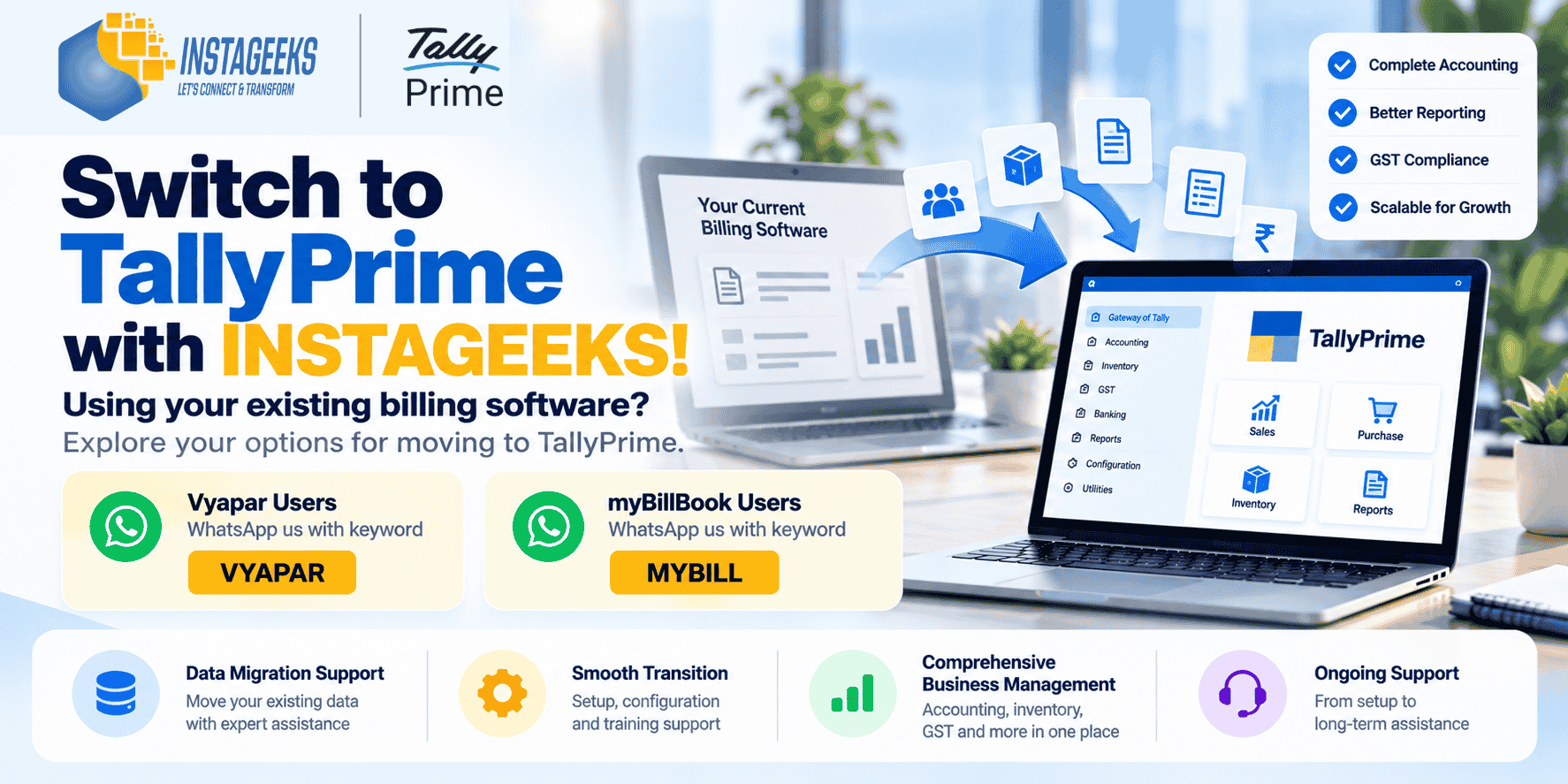
- If you use Vyapar, send the keyword VYAPAR.
- If you use myBillBook, send the keyword MYBILL.
Our team can discuss your requirements and explain the available options.
Contact Instageeks today to explore TallyPrime for your business.
Frequently Asked Questions (FAQs)
1. Can I switch from Vyapar to TallyPrime?
You can explore switching from Vyapar to TallyPrime. The process depends on your business requirements, the data available for export, and the compatibility of your records with the intended migration method.
2. Can I migrate from myBillBook to TallyPrime?
Migration may be possible for supported data. The records that can be transferred and the work required should be assessed before implementation.
3. Will all my historical data transfer automatically?
Not necessarily. The availability of historical data, export formats, record structure, and supported import methods determine what can be transferred. Some information may require additional processing or manual handling.
4. Will my opening balances and outstanding amounts be transferred?
These can be included in the migration assessment. Their treatment depends on the available records and the agreed migration scope. Verify the resulting balances before using the new system for regular accounting.
5. How long does TallyPrime migration take?
The timeline depends on the volume and quality of data, the number of records, customisation requirements, and the complexity of your business processes. A reliable estimate can be provided after an initial assessment.
6. How much does it cost to migrate to TallyPrime?
The cost depends on the TallyPrime licence or subscription requirements, data migration work, configuration, customisation, training, and any hosting services you choose. Request a quotation based on your specific needs.
7. Can Instageeks help with TallyPrime setup and customisation?
Yes, Instageeks offers Migration, Tally-related implementation and customisation services. Contact the team to confirm the services available for your particular migration and business requirements.
8. Do I need to stop using my existing billing software immediately?
Not necessarily. Plan the transition with your implementation provider and accountant. Keep secure backups and establish a suitable cutover date after the new system has been configured and the required records have been verified.
Final Thoughts
Switching accounting software is an important business decision. Before moving from Vyapar or myBillBook to TallyPrime, assess your accounting needs, check data compatibility, plan the migration, and verify your records carefully.
With the right preparation and implementation support, you can make a more informed decision about the accounting solution that suits your business.
Ready to explore TallyPrime? Contact Instageeks Software Private Limited to discuss your requirements and migration options.
Brand and product names are used only to identify the software solutions discussed. Vyapar and myBillBook are referenced for descriptive purposes; this article does not imply any affiliation, sponsorship, or endorsement by their respective owners. Product capabilities, data compatibility, and migration feasibility should be verified for your specific requirements.
